

App catalog
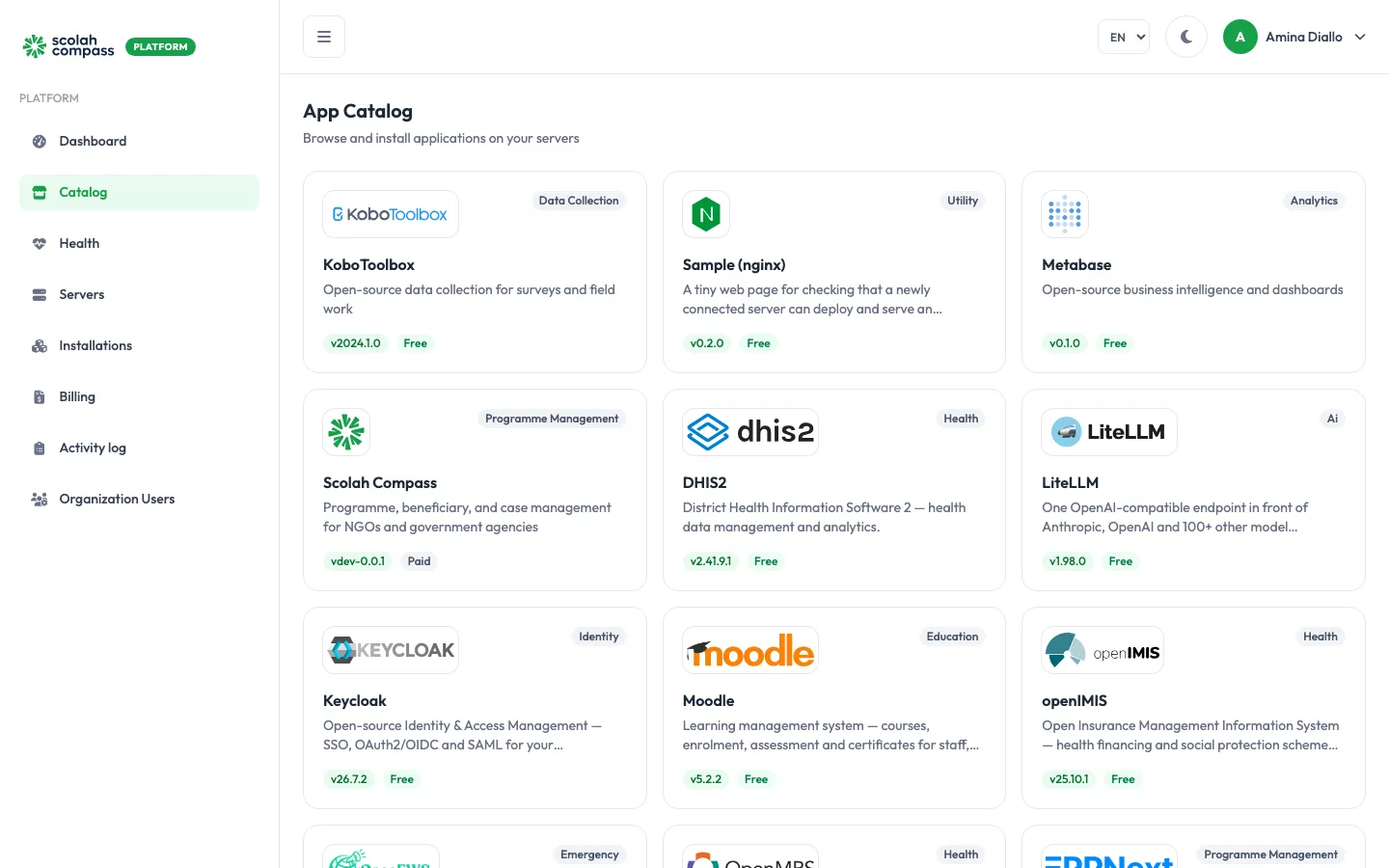
Catalog lists every application you can install on your servers. Click an application to see what it does, its licence, links to its homepage and documentation, and the versions you can install. Click Install to open the installation wizard with that application already chosen.
Applications
Section titled “Applications”| Application | For | Page |
|---|---|---|
| Scolah Compass | Programme, beneficiary and case management | Scolah Compass |
| Scolah Compass Resources | Programme budgets, spending approvals and in-kind stock (beta) | Scolah Compass Resources |
| UNICEF HOPE | Humanitarian cash transfers | UNICEF HOPE |
| openIMIS | Health insurance and social protection schemes | openIMIS |
| DHIS2 | Health data collection, reporting and analytics | DHIS2 |
| OpenMRS | Medical records for health facilities | OpenMRS |
| KoboToolbox | Surveys and field data collection | KoboToolbox |
| Metabase | Dashboards and reporting | Metabase |
| Moodle | Training and e-learning | Moodle |
| ERPNext | Accounting, inventory, purchasing and HR | ERPNext |
| Keycloak | Single sign-on for your applications | Keycloak |
| LiteLLM | One AI endpoint in front of many model providers | LiteLLM |
| OpenEWS | Emergency warning messages (beta) | OpenEWS |
| Sample (nginx) | Checking that a new server works end to end | Sample (nginx) |
Applications marked Coming soon, such as SORMAS, are listed in the catalog but can’t be installed yet.
Versions
Section titled “Versions”Each application is offered in one or more versions. A version is a tested, signed bundle of that application’s components with their exact image versions pinned. You never pick versions of individual components. Stable versions are recommended; beta versions are newer and less proven. To move an installation to a newer version, use Upgrade.
Pricing
Section titled “Pricing”Each application shows Free or Paid:
- Free: the application isn’t billed.
- Paid: billed per active installation-day. See Billing.
Using applications together
Section titled “Using applications together”Many applications can connect to each other on the same server. For example, Metabase can read Moodle’s training records or Scolah Compass’s case data to build dashboards, and Keycloak can provide single sign-on for Scolah Compass. See Connections.