Locations and Storekeepers
Add a location
Section titled “Add a location”Stock managers and admins manage locations.
- Go to Stock → Locations and click + New location.
- Give it a Name and a Kind: Warehouse, Distribution point or Sub-location.
- A sub-location needs a Parent location. There is one level: a warehouse or distribution point can hold sub-locations.
- Click Save.
Assign storekeepers
Section titled “Assign storekeepers”Storekeepers can only receive, issue, transfer, adjust and count stock at the locations they are assigned to.
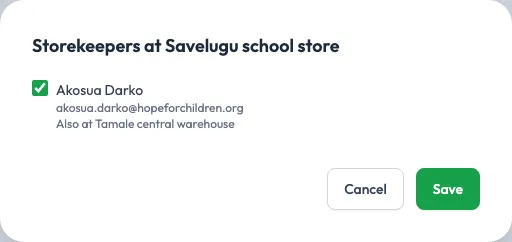
- Click Storekeepers on a location.
- Tick the people who keep it. Each person shows their email and any other locations they keep (“Also at …”).
- Save.
Only people whose role has Only at assigned locations on Stock appear, such as the built-in Storekeeper role. If nobody does yet, give someone that role under Users.