

Suppliers and Purchase Orders
Procurement appears when a workspace has both Budget and Stock on. Money is spent once, when goods are bought: receiving goods on an order posts the cost to its budget line, and handing the goods out later never does.
Suppliers
Section titled “Suppliers”Go to Procurement → Suppliers and click + New supplier. Enter the name, Contact person, Phone, email, Address and Tax ID. Admins, finance approvers and stock managers can add and edit suppliers.
Raise a purchase order
Section titled “Raise a purchase order”Admins, requesters, budget owners, finance approvers and stock managers can raise orders.
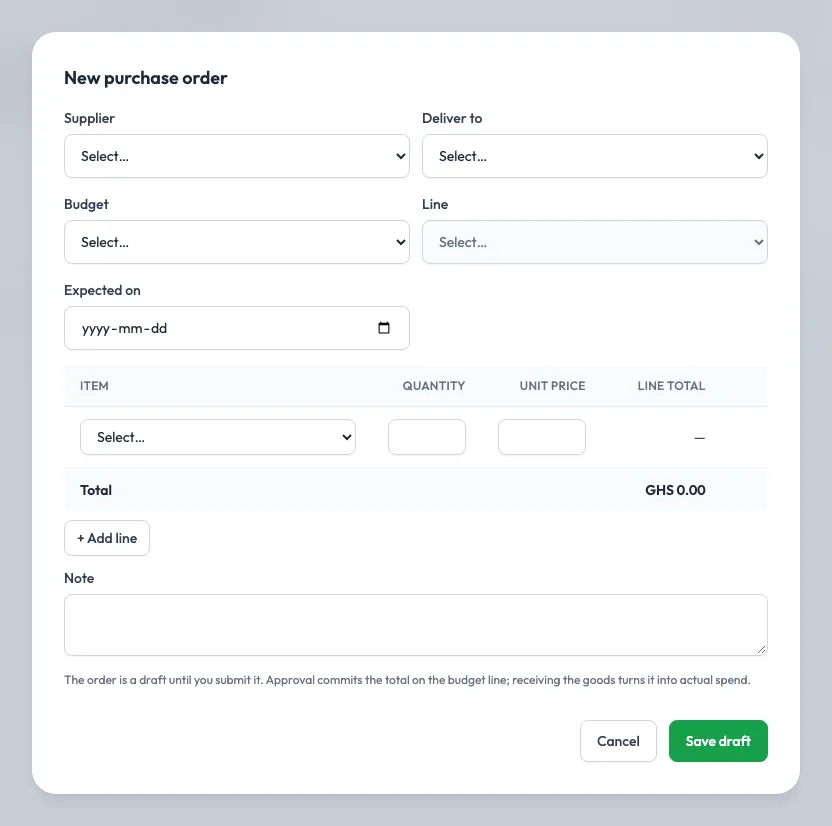
- Go to Procurement → Purchase orders and click + New purchase order.
- Choose the Supplier, the budget line to charge (a line of an Active budget, not a heading), where the goods arrive (Deliver to) and when they are Expected on.
- Add a line per item with its quantity and Unit price. The total is worked out for you.
- Save. The order is a Draft and is numbered PO-0001, PO-0002 and so on.
- Open it and click Submit for approval. You can’t edit it while it waits.
Approval
Section titled “Approval”An order follows the Purchase order rule on Approval config: the same bands as expenses unless an admin gives it its own. Approvers decide it from Approvals. When the last step approves, the order’s total is committed on the budget line. The over-budget rules apply: a Block budget refuses it, and on a Warn budget a finance approver can approve with an override reason.
Receive goods
Section titled “Receive goods”Goods can arrive in several deliveries. A storekeeper at the delivery location, a stock manager or an admin:
- Opens the order and clicks Receive goods.
- Enters what arrived on each line, with the lot number and expiry date for tracked items. You can’t receive more than is still to come.
- Records it.
Each delivery is received into stock at the order’s unit price and turns that part of the commitment into actual spending. The order shows Ordered, Received, Outstanding and each delivery under Receipts. It is Partly received until everything has arrived, then Received.
Close or cancel
Section titled “Close or cancel”- Close order (finance approvers and admins): nothing more will arrive. What is left of the commitment goes back to the budget line.
- Cancel order (the requester or an admin): only while nothing has been received. Anything committed goes back to the line.