Installation states
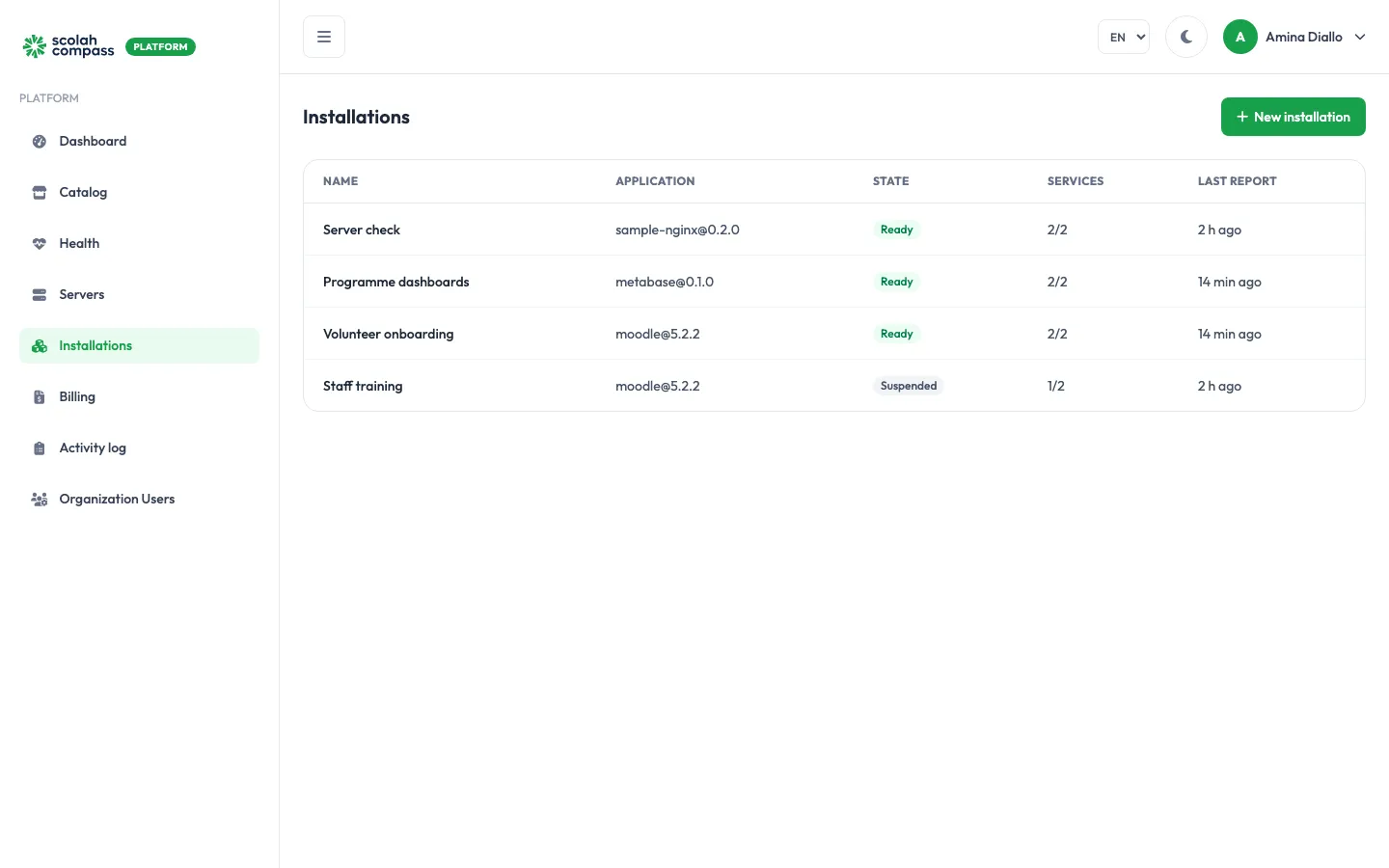
Installations lists every installation with its application and version, state, how many services are up (for example 2/2) and when the agent last reported.
Installation states
Section titled “Installation states”| State | Meaning | Billed? |
|---|---|---|
| Pending | Created and waiting for the server’s agent to pick it up. | No |
| Deploying | The agent is pulling images and starting services. | Yes |
| Ready | Deployed, with every service healthy. | Yes |
| Degraded | Running, but at least one service isn’t healthy. | Yes |
| Upgrading | A version upgrade or other change is being applied. | Yes |
| Failed | The deployment didn’t settle. The services and the activity log show why. | No |
| Suspended | Stopped on purpose. Data is kept. | No |
| Removing / Removed | Being deleted / deleted. | No |
Degraded and Failed installations are counted under Need attention on the dashboard.
Service health
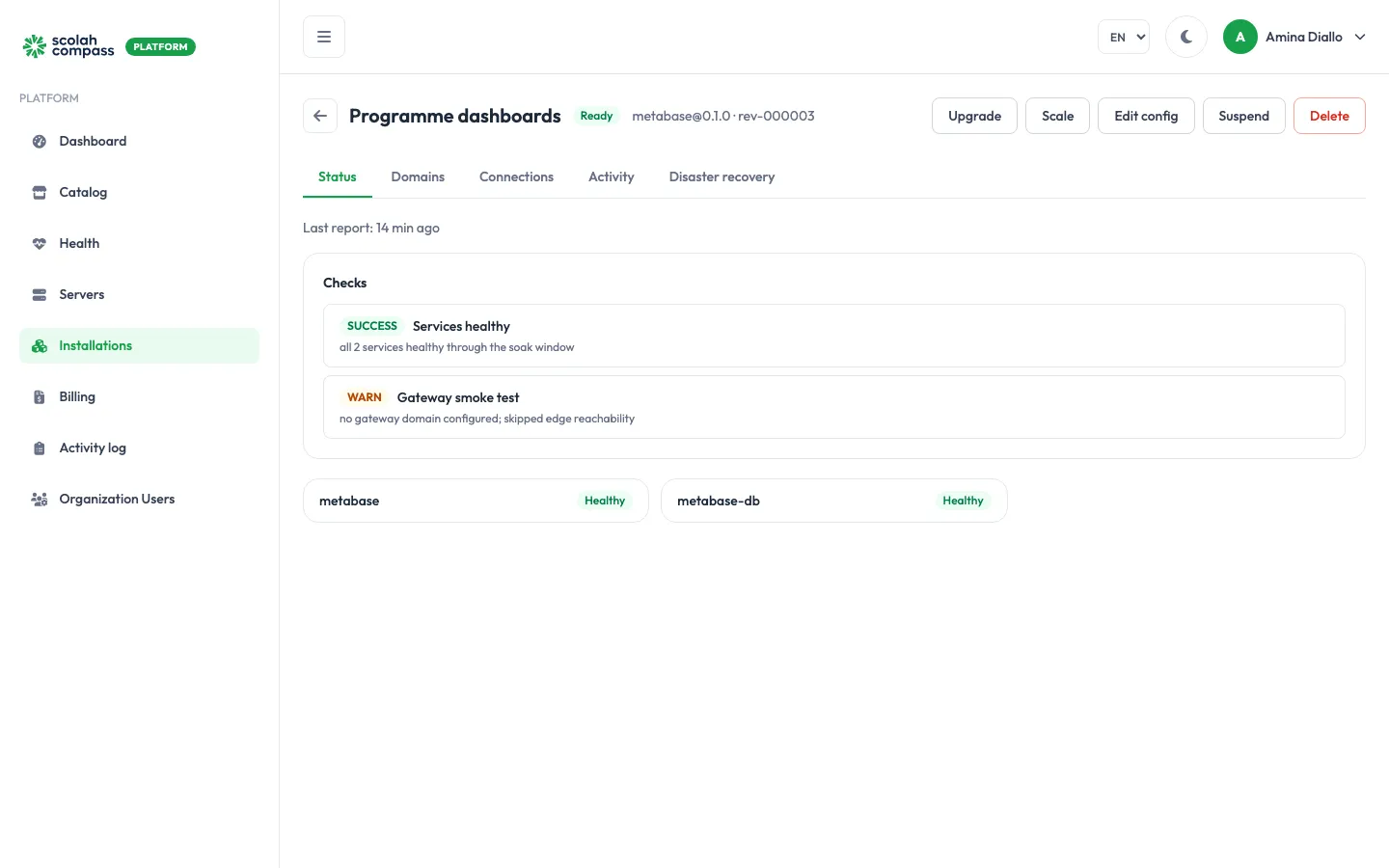
Section titled “Service health”Open an installation to see its Status tab. It shows one card per service (for example the application and its database) with that service’s health:
- Healthy / Running: working normally.
- Complete: a one-off job that finished successfully.
- Starting / Pending / Created: still coming up.
- Restarting, Unhealthy, Exited, Dead: something is wrong. On a suspended installation, Exited is expected.
Activity
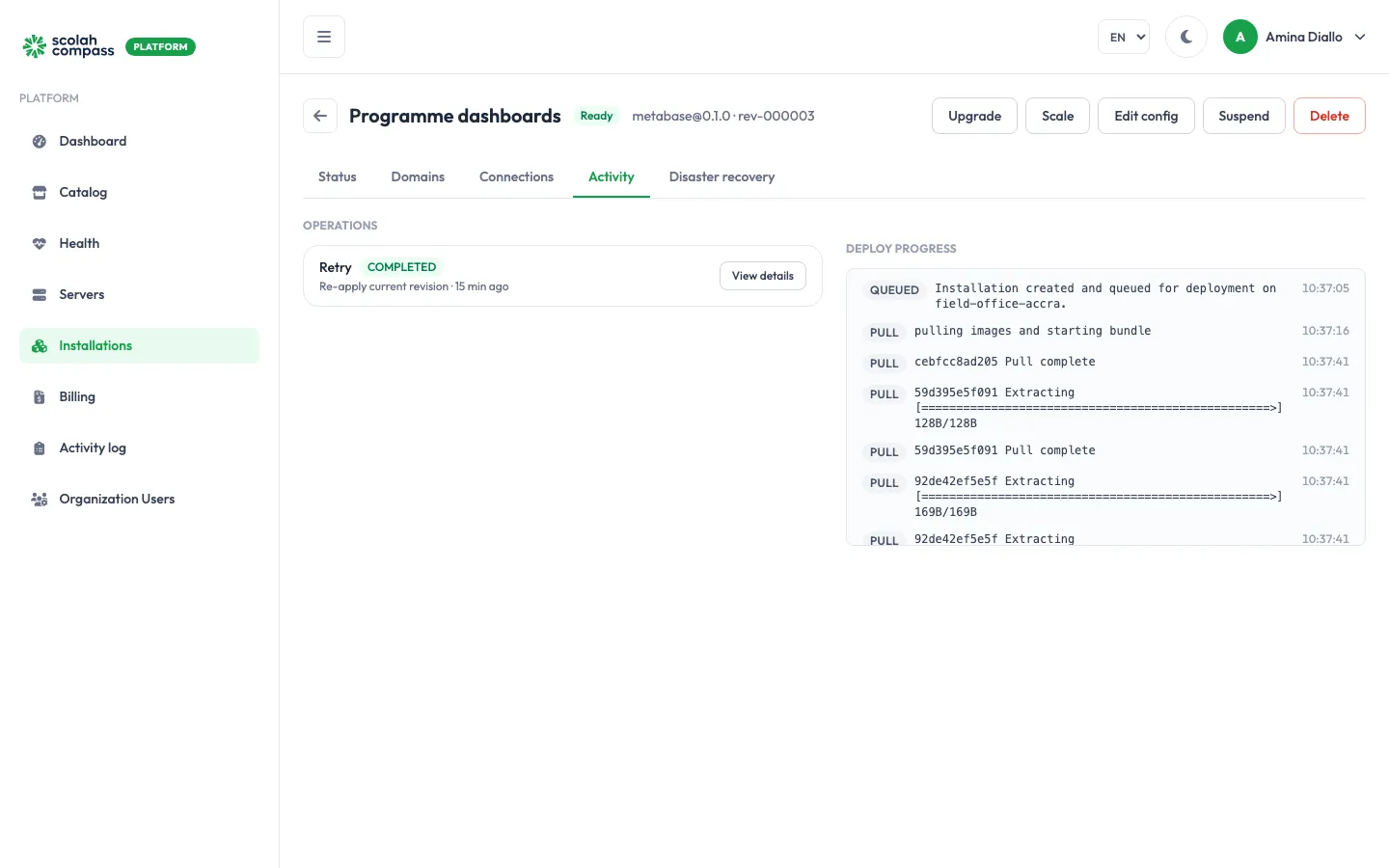
Section titled “Activity”The Activity tab records each deployment and change step by step: pulling images, starting containers, health checks, and a short “soak” period during which services must stay healthy before the installation is marked Ready. If something fails, the error appears here.