

Audit Logs
Organisation → Audit logs covers the whole organisation, across every workspace. You need the Audit logs permission to see it. It has two tabs.
Access
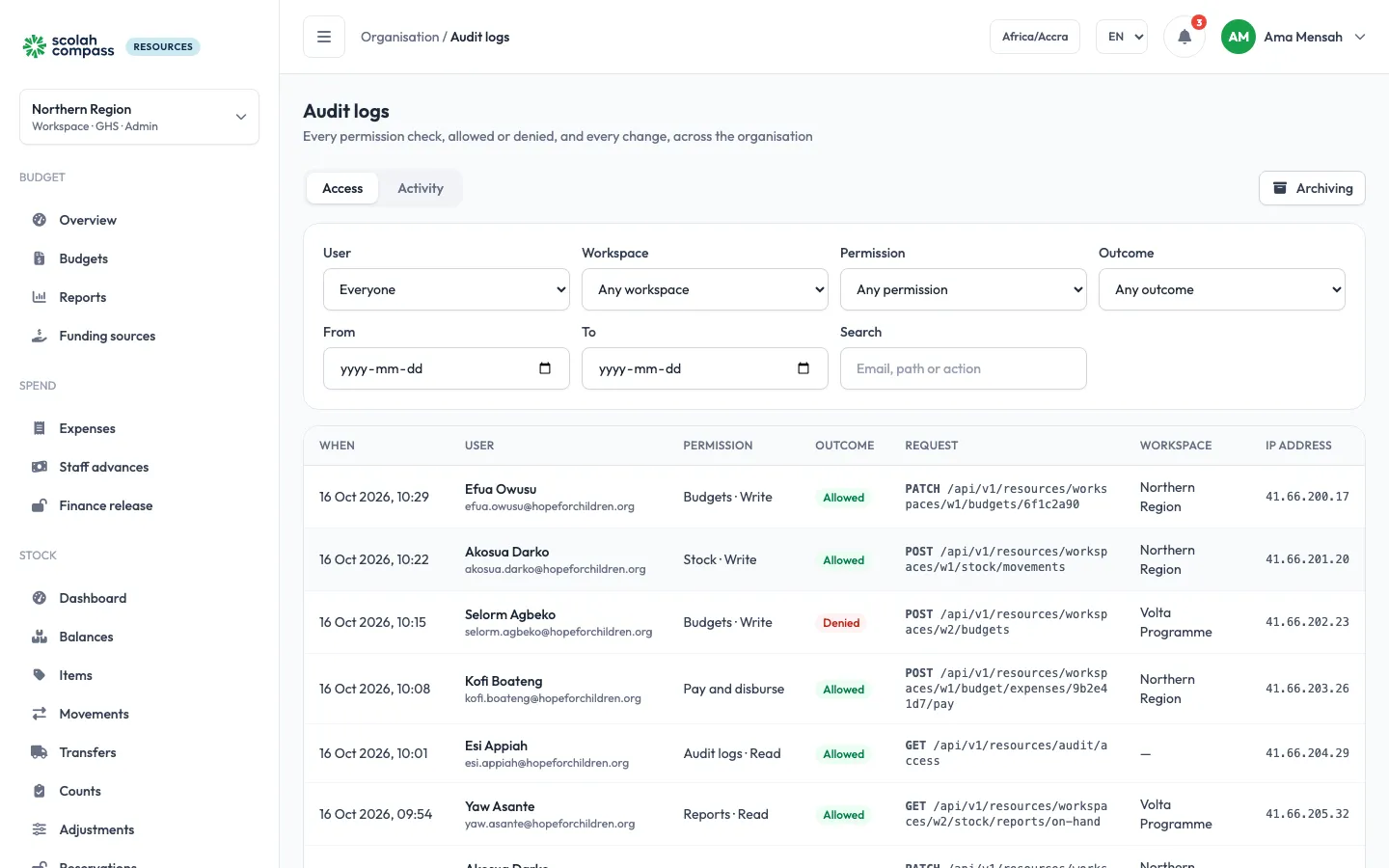
Section titled “Access”Every permission check, allowed or denied: each time someone opens or changes something, Scolah Compass Resources records whether their role let them. Each entry shows:
| Column | What it shows |
|---|---|
| User | Who it was, with their email |
| Permission | The permission checked, for example STOCK_WRITE |
| Outcome | Allowed or Denied |
| Method and Path | What was asked for |
| IP | The address it came from |
| Workspace | The workspace it was in, if any |
| When | The date and time |
Filter by user, permission, outcome, workspace and dates, or search.
Activity
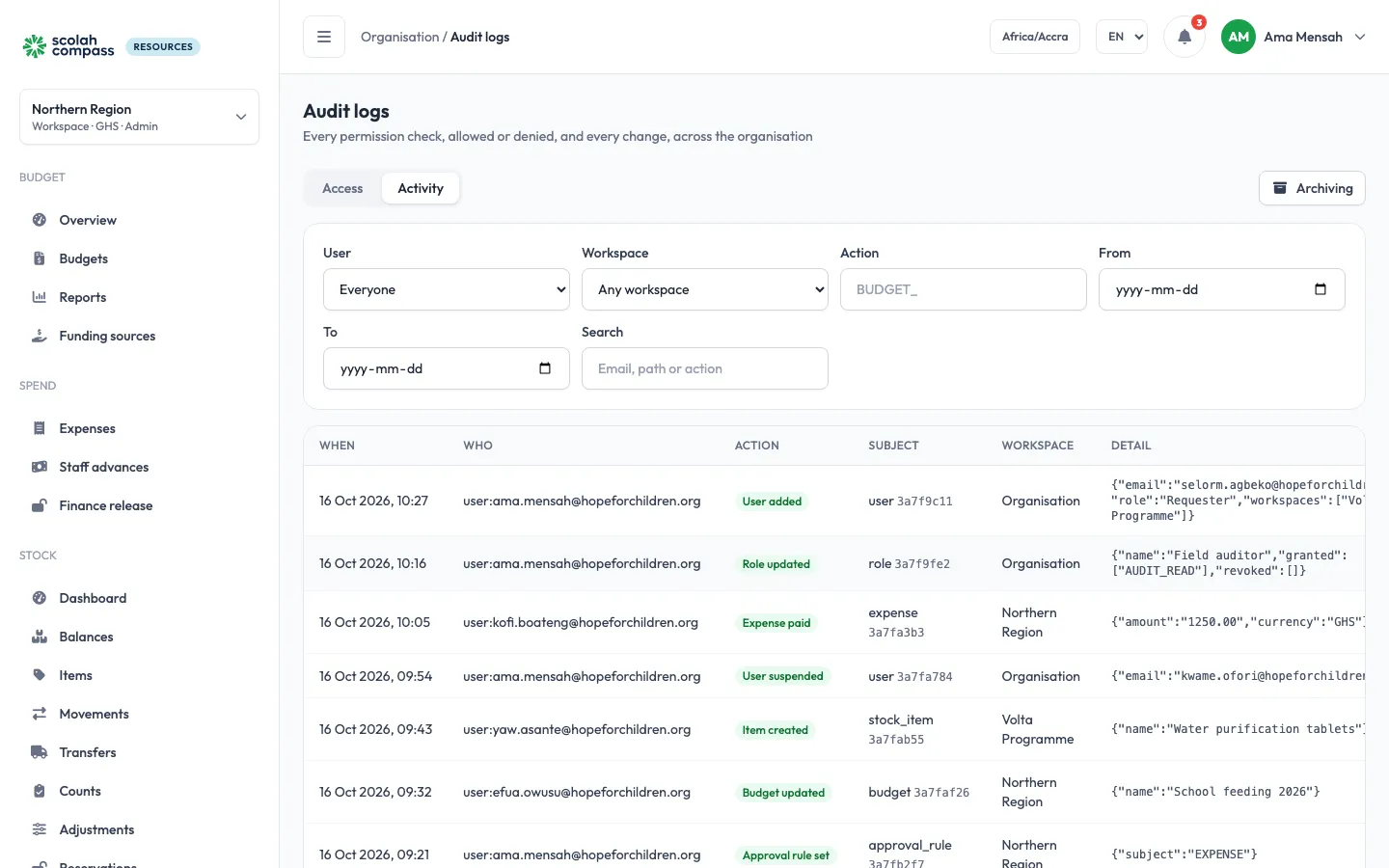
Section titled “Activity”What changed, newest first: Who did it, the Action, the Subject, the Detail and the workspace. Filter by user, workspace, action and dates, or search. It covers:
- Budget: budgets, lines, revisions, reallocations, funding, manual ledger entries and their reversals, over-budget overrides, finance releases.
- Spending: expenses, advances and the spending accounted for against them, purchase orders and goods received.
- Stock: every receipt, issue, adjustment, reservation and reversal someone records (with the lot and any reason for skipping first-expiry-first-out), transfers, counts, and changes to items, categories, adjustment reasons, minimum levels and locations.
- Organisation and administration: users, invitations, roles and their permissions, the primary-admin handover, API keys, suppliers, approval rules, branding and settings.
Each action is shown in plain words; hover over it to see its code. Movements that Scolah Compass posts through its API key aren’t listed one by one; they show in the stock reports and the stock card.
One person’s log
Section titled “One person’s log”To see one person’s entries, open them under Users and choose the Audit log tab.
Archiving and retention
Section titled “Archiving and retention”Access entries pile up fast, so older ones move out of the Access tab into an archive. Activity entries are kept.
- Every night, access entries older than the retention period are archived. It is 180 days unless you change it (from 7 to 3,650 days).
- Archive now archives access entries older than a date you choose.
- Purge archive deletes archived entries older than a date you choose. They can’t be brought back.
Archiving, purging and changing the retention period need Audit logs Write, and are recorded under Activity.