

Staff Advances
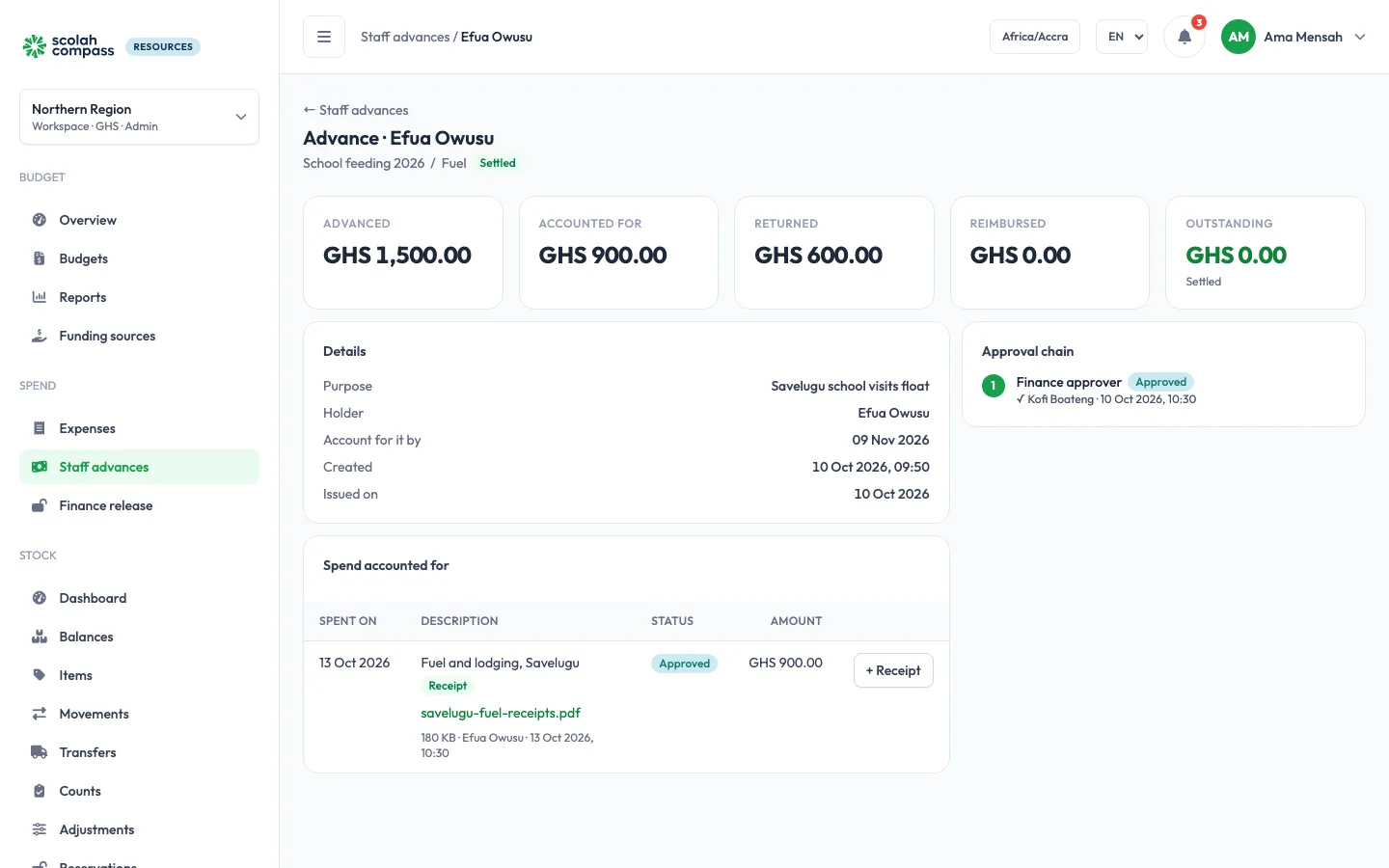
A staff advance is cash handed to someone before they spend it, for example a float for a field trip. They then account for what they spent, and return or are reimbursed the difference.
The flow
Section titled “The flow”- Request. The holder (or someone for them) goes to Spend → Staff advances, clicks + New advance, chooses the budget line, amount, purpose and Account for it by date, and clicks Request advance. It goes through the approval chain for advances.
- Issue. Once approved, a finance approver clicks Issue cash to record that the money was handed over.
- Account for the spending. The holder clicks + Add spend for each thing they paid for, with the amount and date, and attaches the receipt. Each line of spend goes through the approval chain for advance spend (Advance spend on Approval config; the starter rule asks for one finance approver). The holder never approves their own spend.
- Settle the difference.
- If cash is still with the holder, finance clicks Record returned cash.
- If the holder spent more than they were given, finance clicks Reimburse holder.
When nothing is outstanding, the advance is Settled.
Track what is outstanding
Section titled “Track what is outstanding”The advances list shows each advance’s Outstanding amount: positive means cash is still with the holder, negative means the holder is owed. Filter By holder, By budget or Outstanding only. Advances past their due date are marked Overdue, and the Overview counts open and overdue advances.
Cancel
Section titled “Cancel”The holder or an admin can Cancel advance while it is pending or approved, before the cash is issued. Any commitment it holds goes back to the line.