

Activity log
Activity log records every privileged action in your organisation: creating and deleting servers and installations, suspending and resuming, upgrades, domains, connections, external services and user changes. Admins and members can both open it.
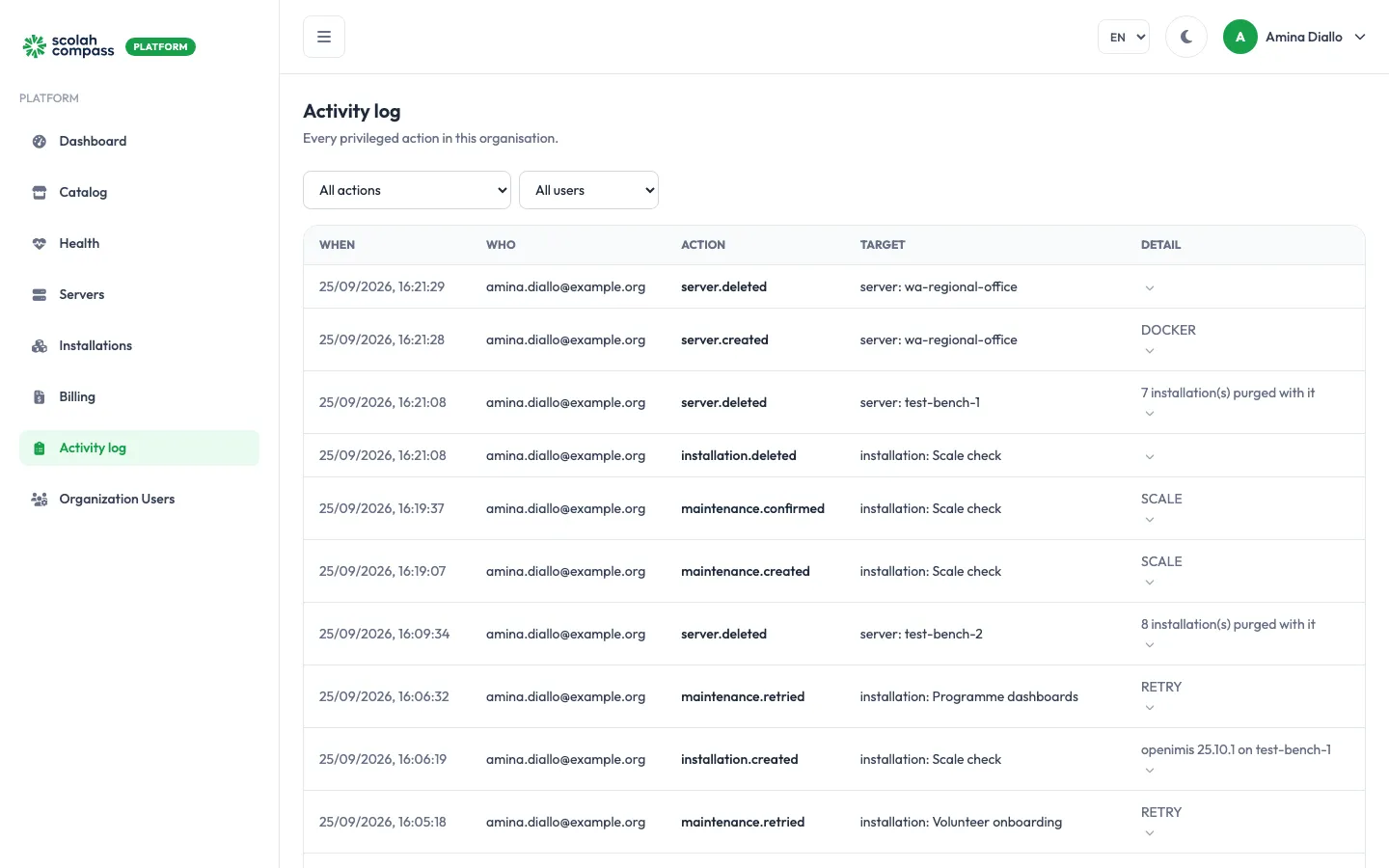
Each entry shows:
| Column | What it shows |
|---|---|
| When | Date and time of the action. |
| Who | The person who did it. Actions taken by Scolah staff on your behalf are recorded too. |
| Action | What was done, for example installation.suspended or domain.attached. |
| Target | What it was done to, for example installation: Staff training. |
| Detail | Extra context, such as the runtime of a new server or the hostname of a domain. |
Filter
Section titled “Filter”Use the two filters at the top to narrow the list to one kind of action or one user. To see everything one person has done, you can also click Activity next to their name on Organization Users.
The newest entries come first. Click Load more at the bottom to go further back.