

Health
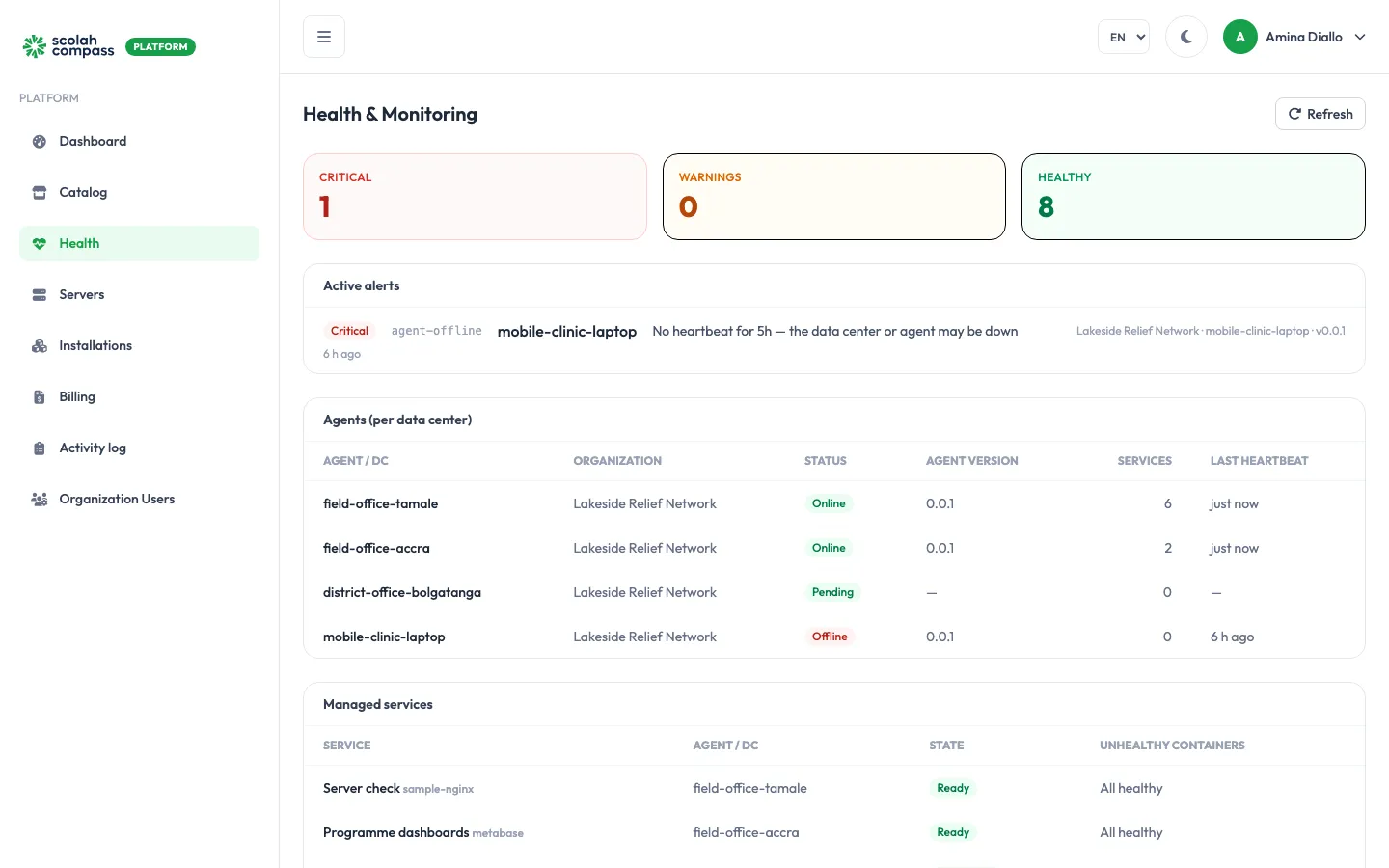
Health brings the state of everything in your organisation onto one page. Admins and members can both open it. Click Refresh to reload.
Summary
Section titled “Summary”The three tiles at the top count problems by severity:
- Critical: something is down, such as a server whose agent has stopped checking in.
- Warnings: something is degraded, such as an installation with an unhealthy service.
- Healthy: everything else.
Active alerts
Section titled “Active alerts”Each alert says what is wrong, where (organisation, server and agent version), and how long ago it started, for example “No heartbeat for 1h — the data center or agent may be down”. When nothing is wrong, the page shows All systems healthy — no active alerts.
Agents
Section titled “Agents”One row per server, with its connection status, agent version, number of installations and last heartbeat:
| Status | Meaning |
|---|---|
| Online | Checking in normally. |
| Late | Missed recent check-ins but not yet considered offline. |
| Offline | No heartbeat for more than 5 minutes. |
| Pending | Registered, but no agent has enrolled yet. |
| Blocked | Cut off by an admin. |
Managed services
Section titled “Managed services”Each installation, its server, its state, and any unhealthy containers. All healthy means every service is running normally.
Connections
Section titled “Connections”Each connection between installations, when it was last checked, and how many checks in a row have failed.
Disaster recovery
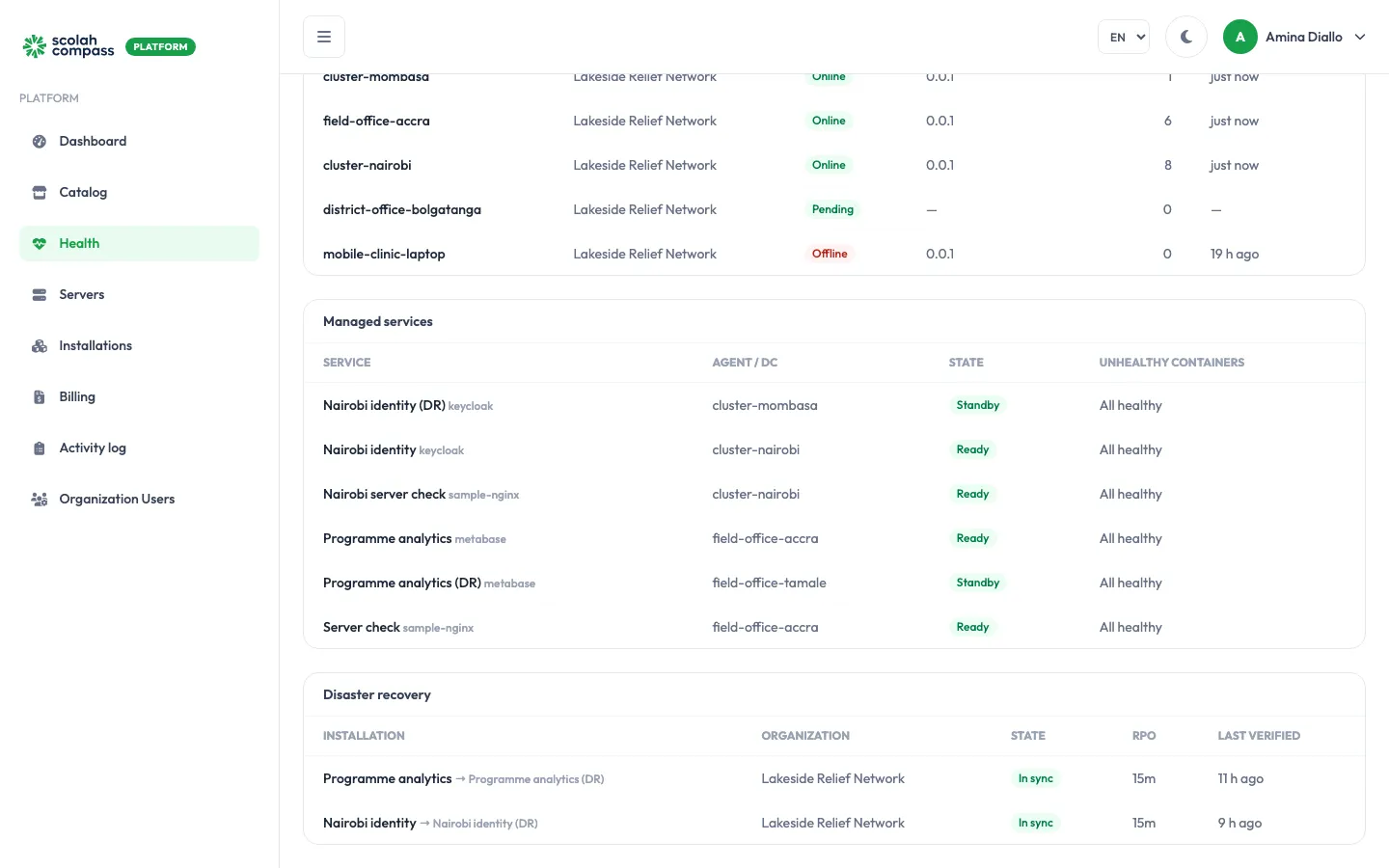
Section titled “Disaster recovery”This section appears only when at least one installation has disaster recovery turned on. It has one row per protected installation, showing:
- Installation: the protected installation, then an arrow and its standby, for example Programme analytics → Programme analytics (DR)
- its organisation
- its DR state, for example In sync
- its RPO: how old the newest recovery point is
- when its latest recovery point was Last verified
Each disaster recovery alert starts with the installation’s name, for example “Programme analytics: DR recovery points are stale”.
A standby’s databases report starting once, as they come up, and aren’t checked again. Managed services doesn’t count that as unhealthy, so a standby isn’t flagged while it starts. A standby service that is really unhealthy is still flagged.
Disaster recovery raises these alerts:
| Alert | Severity | Raised when |
|---|---|---|
dr-not-protected |
Critical | The pairing is Failed: a failover couldn’t bring the standby up. |
dr-stale |
Warning | The pairing is Stale: a check of the latest recovery point failed. |
dr-verify-stale |
Warning | The pairing is In sync, but no check has succeeded in the last 48 hours (twice the daily check interval), or ever. |
dr-rpo-breach |
Warning | The newest recovery point is more than twice the backup interval old (30 minutes by default). At Continuous, when nothing has shipped for 10 minutes. |
dr-demoted |
Warning | Continuous fell back to Interval, with the reason. It stays until an admin chooses a tier. |
dr-slot-lag |
Warning | A Continuous replication slot holds half or more of its cap (10 GB by default) of WAL on the original server. PostgreSQL only: MariaDB has no slot. |
dr-slot-at-risk |
Critical | A Continuous replication slot’s WAL status is unreserved or lost: the original server is dropping WAL the standby still needs. On MariaDB, the original server purged a binlog before it was shipped. |
dr-local-wal |
Warning | WAL waiting to be shipped is piling up on the original server’s agent past the cap, because shipping to the artifact store is failing or falling behind. |
dr-cleanup-pending |
Warning | Cleaning up Continuous shipping on the original server has failed 3 times (the alert gives the count and the last error), or DR was turned off more than 10 minutes ago and the clean-up is waiting for the original server’s agent to come online. The clean-up removes the replication slot and, on a cluster, the pg_hba.conf line and the shipper pod and its volume; it runs automatically once the agent is back. Until then, the slot keeps WAL on the original server, up to its cap. Continuous can’t be switched on for a new DR pairing on that server until it finishes. The alert clears once the clean-up succeeds. |
What to do about an alert
Section titled “What to do about an alert”- Agent offline or late: see The server went Offline.
- Unhealthy services: open the installation and check its Activity tab. See An installation is Failed or Degraded.
- Disaster recovery alerts: open the installation’s Disaster recovery tab. See Disaster recovery.