

Billing
Billing shows what your organisation has used and what it has been invoiced. Admins and members can both open it.
How usage is counted
Section titled “How usage is counted”Paid applications are billed per active installation-day:
- An installation counts as active while it is Deploying, Ready, Degraded or Upgrading.
- Each calendar day (UTC) with any active time counts as one full day. Days are rounded up, never split.
- Days spent Suspended, Failed, Pending or being removed are not billed.
- Applications marked Free in the catalog are never billed.
So suspending an installation you won’t need for a while stops the charges without losing its data. See Suspend.
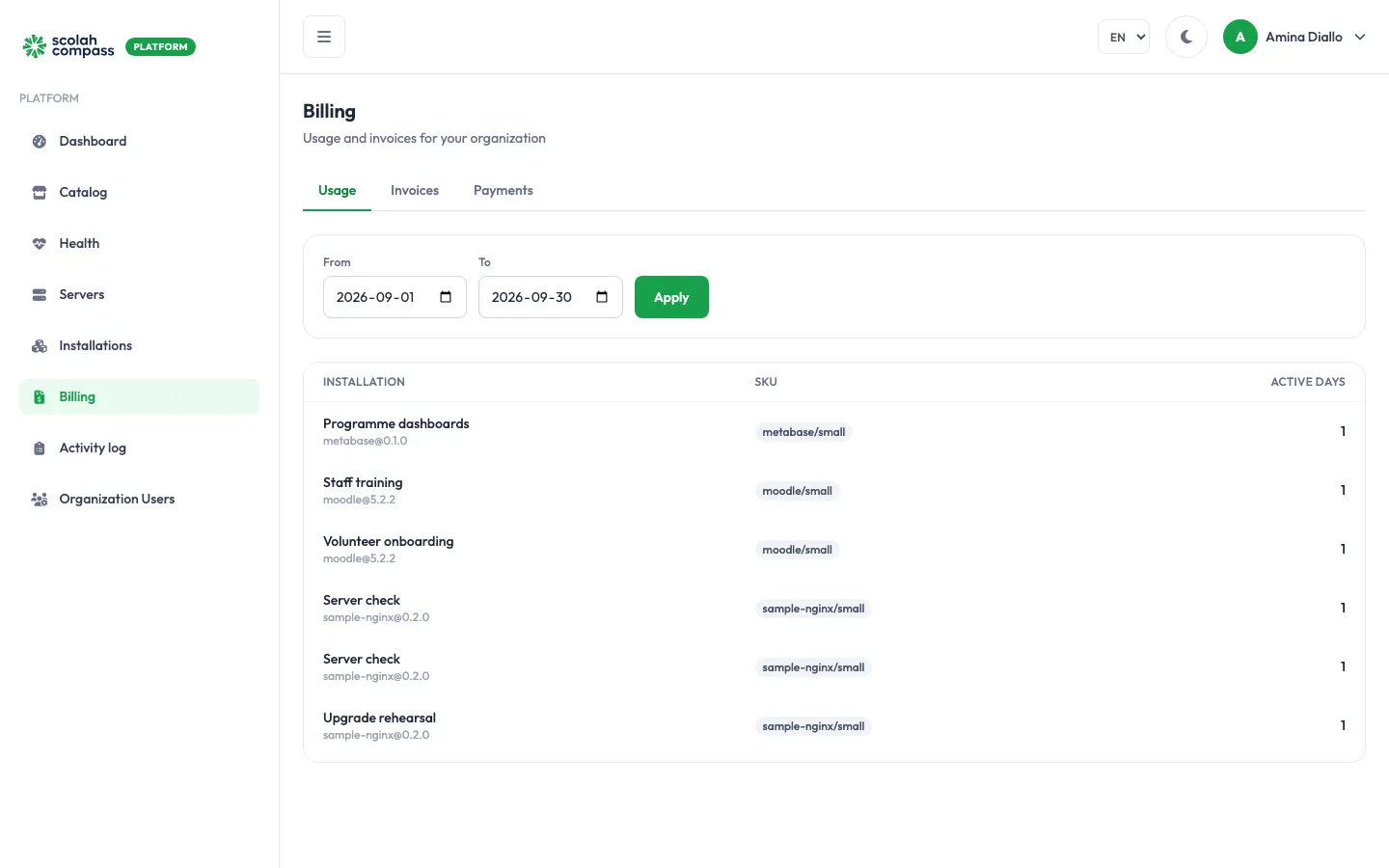
The Usage tab lists, for the period you choose, each installation with its SKU (the application and size being billed) and its Active days. Change From and To and click Apply to look at another period.
Invoices
Section titled “Invoices”The Invoices tab lists each invoice with its number, period, status, amount and due date. Click one to see its line items.
| Status | Meaning |
|---|---|
| Draft | Being prepared; not yet sent. |
| Issued | Sent and awaiting payment. |
| Paid | Paid in full. |
| Overdue | Past its due date and not yet paid. |
| Void | Cancelled. |
Payments
Section titled “Payments”The Payments tab lists the payments Scolah has received, with the date received, reference and amount.
Questions about a bill
Section titled “Questions about a bill”Contact Scolah with the invoice number. If your organisation is suspended, the portal shows a banner: you can still view your data and billing, but you can’t make changes until it’s resolved.