

Budget
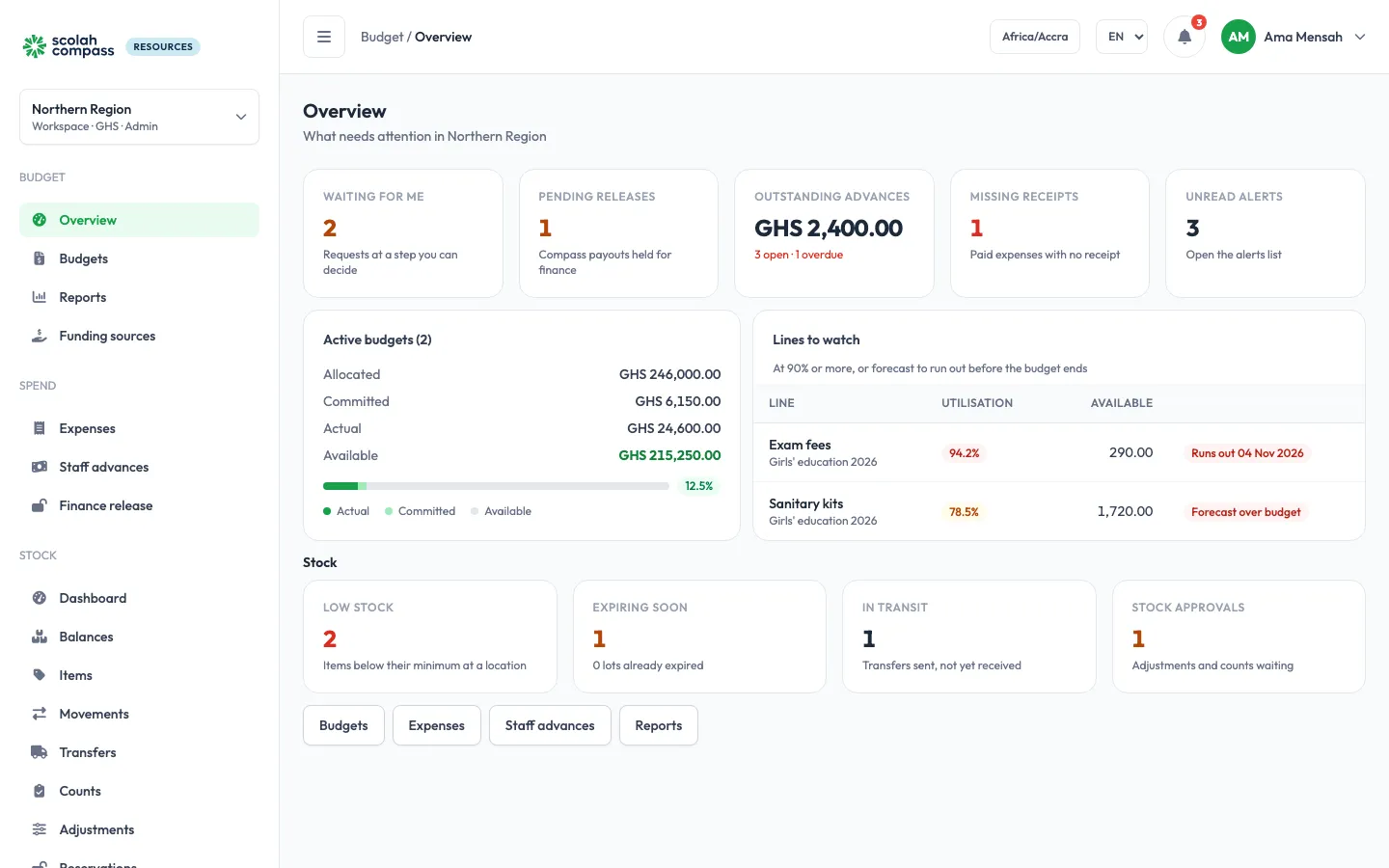
Budgets with lines and sub-lines, grants that fund them, expense requests and staff advances that go through approval, finance release of Scolah Compass payouts, and budget and donor reports.
Scolah Compass Resources helps programmes plan what they have to spend and what they have to give out. It has two modules, which you can run together or on their own, and a procurement area that joins them.
Budget
Budgets with lines and sub-lines, grants that fund them, expense requests and staff advances that go through approval, finance release of Scolah Compass payouts, and budget and donor reports.
Stock
The in-kind items you stock, warehouses and distribution points, receipts, issues (first to expire, first out), transfers, adjustments, counts, reservations and stock reports.
Procurement
Suppliers, purchase orders that commit budget and become stock when the goods arrive, and direct purchases. Appears when both Budget and Stock are on.
Resources works on its own: organisations plan budgets, approve spending, run their stores and report to donors without Scolah Compass.
When it is connected to Scolah Compass, Scolah Compass can check a budget line before a disbursement batch is approved, record payouts as spending, hold large payouts until finance releases them, and send its list of in-kind items so you can import them into Stock. The connection uses an API key; see Integrations and API keys.
Resources is installed from the Scolah Compass Platform catalog. See Scolah Compass Resources in the catalog for requirements, settings and connections.